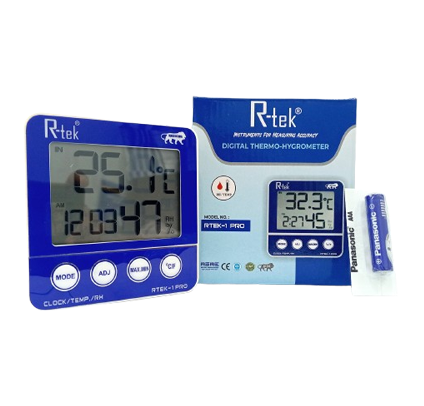
Rtek-1pro
Specification
- Temp. Range: -50.0°C ~ 70.0°C (-58.0°F to 158.0°F), sampling period 10 seconds
- Temp. Resolution: 0.1°C,
- Temp. Accuracy: ±1.0°C (0°C~40°C)
- RH Range: 10%~99%, sampling period 10 seconds
- RH Resolution: 1%,
- RH Accuracy: ±-3% (50%~80%), ±5% (10%~50%, 80%~99%)
- Dimension (L x B x H): 9 x 9 x 1cm
- Weight: 120g Net
Functions
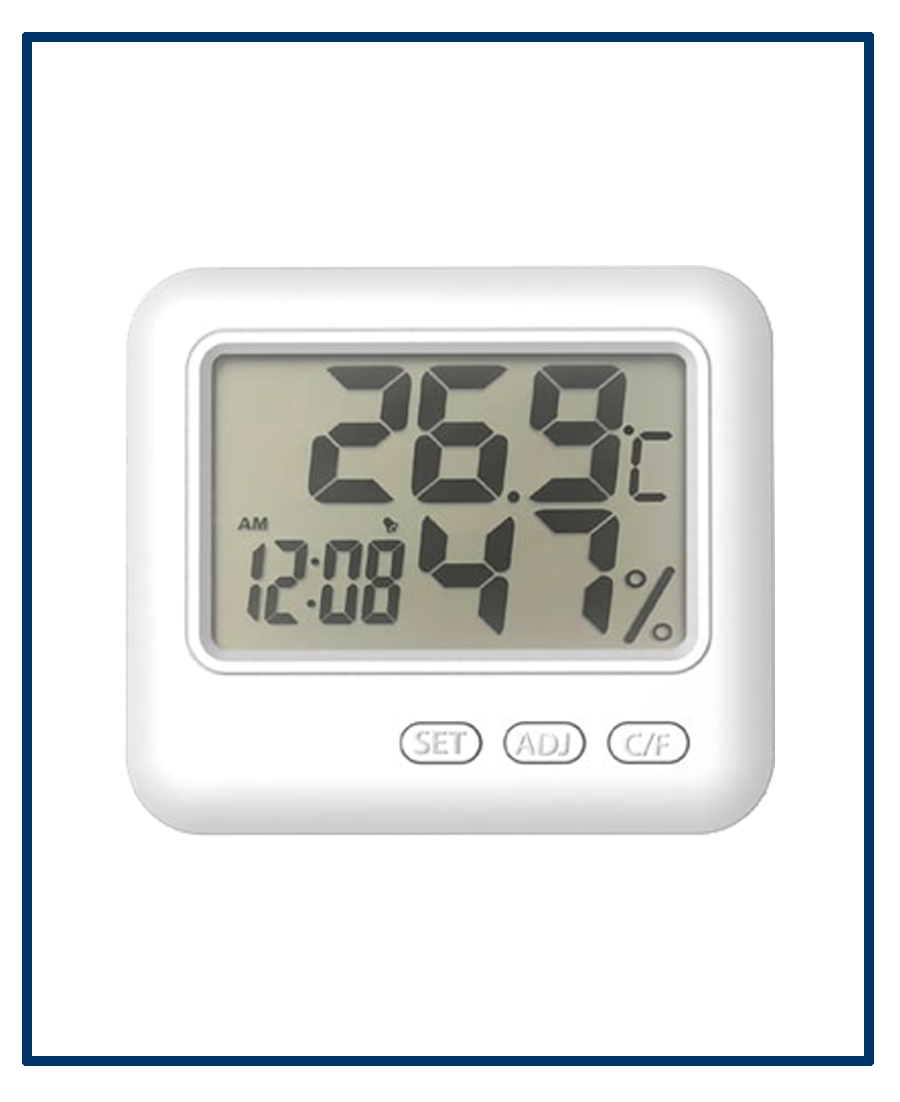
- Indoor temperature display, indoor humidity display
- Temperature unit °C/°F changeable (Under battery cover)
- Memory of MAX/MIN values of temperature & humidity
- 2 modes of time display: 12h/24h
- Clock & date display function, Press the ADJ button to check the date and the meter return to CLOCK mode automatically in 3 seconds
- Hourly alarm function
- Everyday alarm function
Operations
3-1. Open the battery compartment cover, take out the polarity insulator, install the battery and close the battery cover, then the meter starts to work.
3-2. BUTTON function:
3-3. In status of original, press and hold [MODE] for 2 seconds, the Minute flashes, press [ADJ] to set the Minute value or long press to make it faster; press [MODE] again to confirm the value, repeat the two steps can adjust value of hour, month(M), date(D) respectively.
3-4. Alarm clock setting. Under mode of clock, when the symbol":" between hour value and minute value flashes every second, press [MODE] one time to change CLOCK mode to ALARM mode, then the symbol ":" between hour value and minute value does not flash, Press [MODE] for 2 seconds to set up ALARM time. After setting ALARM TIME, press [ADJ] button, you can switch ON/OFF of ALARM (AL) function and Hourly Alarm (·))) function.
3-5 Press [MEMORY] button to display the MAX/MIN values of temperature and humidity. Press [MEMORY] button, when [MAX] shows on the screen. Press [MEMORY] for 2s to clear the MAX values; press [MEMORY] button, when [MIN] shows on the screen, press [MEMORY] for 2s to clear the MIN values.
3-1. Open the battery compartment cover, take out the polarity insulator, install the battery and close the battery cover, then the meter starts to work.
3-2. BUTTON function:
- [MODE] Exchange display mode of DATE, CLOCK, and ALARM, set the current time, alarm, 12h/24h display and date.
- [ADJ] adjust the value of what is under the setting.
- [Max/Min] press to display memorized MAX and MIN values of temperature and humidity; clear the memorized temperature and humidity values.
- [°C/°F] change temperature unit between Celsius (°C) and Fahrenheit (°F).
3-3. In status of original, press and hold [MODE] for 2 seconds, the Minute flashes, press [ADJ] to set the Minute value or long press to make it faster; press [MODE] again to confirm the value, repeat the two steps can adjust value of hour, month(M), date(D) respectively.
3-4. Alarm clock setting. Under mode of clock, when the symbol":" between hour value and minute value flashes every second, press [MODE] one time to change CLOCK mode to ALARM mode, then the symbol ":" between hour value and minute value does not flash, Press [MODE] for 2 seconds to set up ALARM time. After setting ALARM TIME, press [ADJ] button, you can switch ON/OFF of ALARM (AL) function and Hourly Alarm (·))) function.
3-5 Press [MEMORY] button to display the MAX/MIN values of temperature and humidity. Press [MEMORY] button, when [MAX] shows on the screen. Press [MEMORY] for 2s to clear the MAX values; press [MEMORY] button, when [MIN] shows on the screen, press [MEMORY] for 2s to clear the MIN values.
Attentions:
- Take out the battery and put it back after 3 seconds if any abnormal display appears.
- Put the replaced battery at places appointed by government.
- We do not notice if any technical change is applied in this meter.
Appearance Description
- ABS Plastic Body
- LCD Screen
- Temperature Display
- Humidity Display
- Time & Date Display
- Mode Button
- Adjust button
- Max-Min Button
- C/F Changeable Button
Send Enquiry